This blog post explores how to use the Dapr Secrets building block to keep sensitive values out of application code, while making secret access portable across providers. By supporting a range of secret stores through one consistent API, Dapr lets the underlying provider change freely. The goal is to show how the same application can move between secret providers without touching the application code itself.
Behind the scenes, Dapr manages the common secrets API and component model, while each provider takes responsibility for storing and protecting the actual secret values.
Aspire ties it all together, orchestrating the application projects and Dapr sidecar configuration so the local distributed application is easier to run, inspect, and observe.
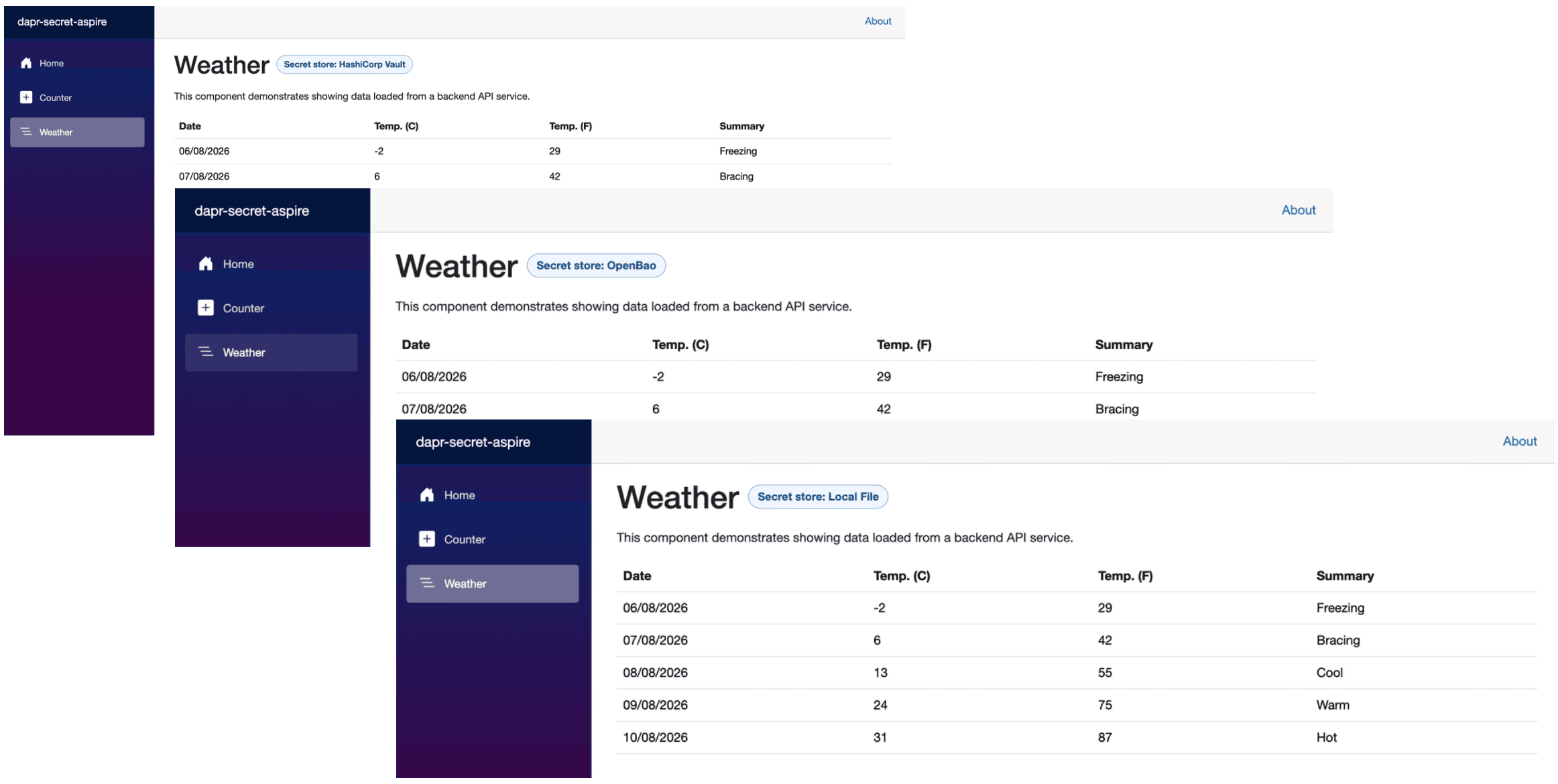
Here's a glimpse of the demo app, built up incrementally throughout this post.
Prerequisites
- Docker Desktop - Docker Desktop provides a local container runtime and management experience.
- .NET Aspire - Aspire gives you a unified, code-first toolkit to compose, debug, and observe distributed apps from a single AppHost.
- PostgreSQL - PostgreSQL is the backing state store used by the demo.
- HashiCorp Vault - HashiCorp Vault securely stores and controls access to tokens, passwords, certificates, encryption keys, and other sensitive data.
- OpenBao - OpenBao is an identity-based secrets and encryption management system.
Demo App
The demo app is based on the Aspire starter template, which includes a frontend (ASP.NET Core Blazor App), a backend (ASP.NET Core Minimal API), ServiceDefaults, and an AppHost project.
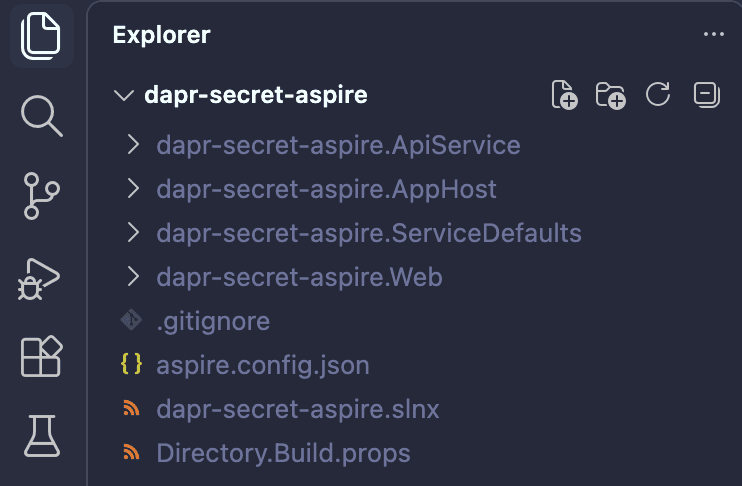
dotnet new aspire-starter --output dapr-secret-aspireThe solution structure should look similar to the one below.
With the project structure in place, let's get PostgreSQL, HashiCorp Vault, and OpenBao up and running.
docker run -d --name aspire-postgres \
  -e POSTGRES_USER=postgres \
  -e POSTGRES_PASSWORD=postgres \
  -e POSTGRES_DB=dapr_db \
  -p 5432:5432 \
  -v aspire-postgres-data:/var/lib/postgresql \
  --health-cmd='pg_isready -U postgres' \
  --health-interval=10s \
  --health-retries=5 \
  --restart unless-stopped \
  postgres:latest
docker run --rm --name dapr-secret-vault \
-p 8200:8200 \
-e VAULT_DEV_ROOT_TOKEN_ID=root \
-e VAULT_DEV_LISTEN_ADDRESS=0.0.0.0:8200 \
hashicorp/vault:latest server -devdocker run --rm --name dapr-secret-openbao \
-p 8201:8200 \
openbao/openbao:latest server -dev \
-dev-root-token-id=root \
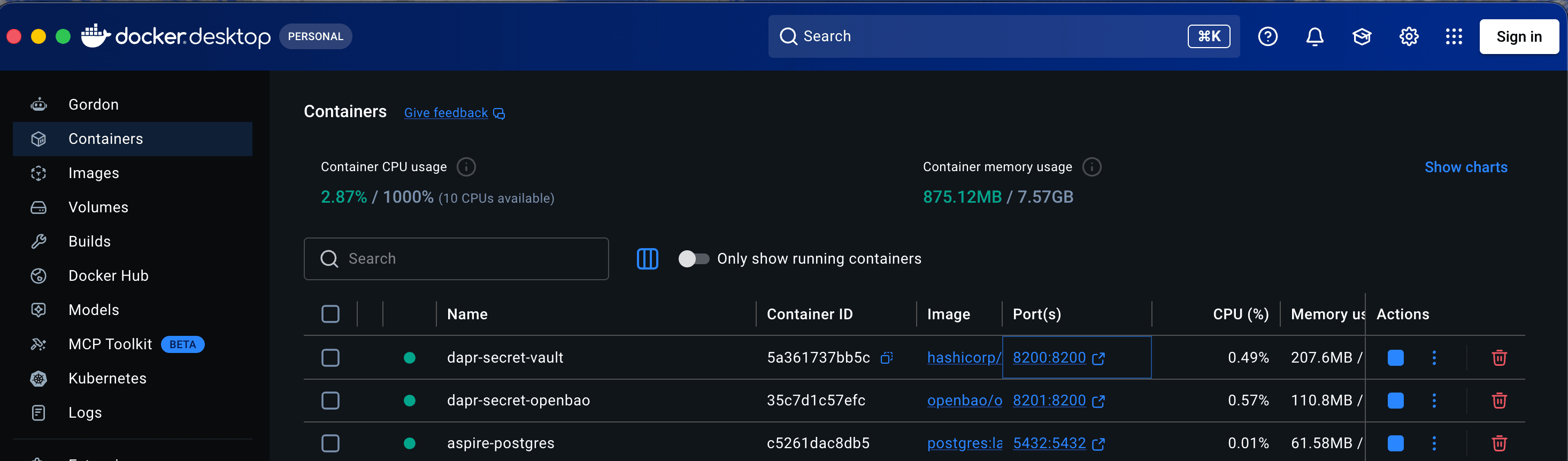
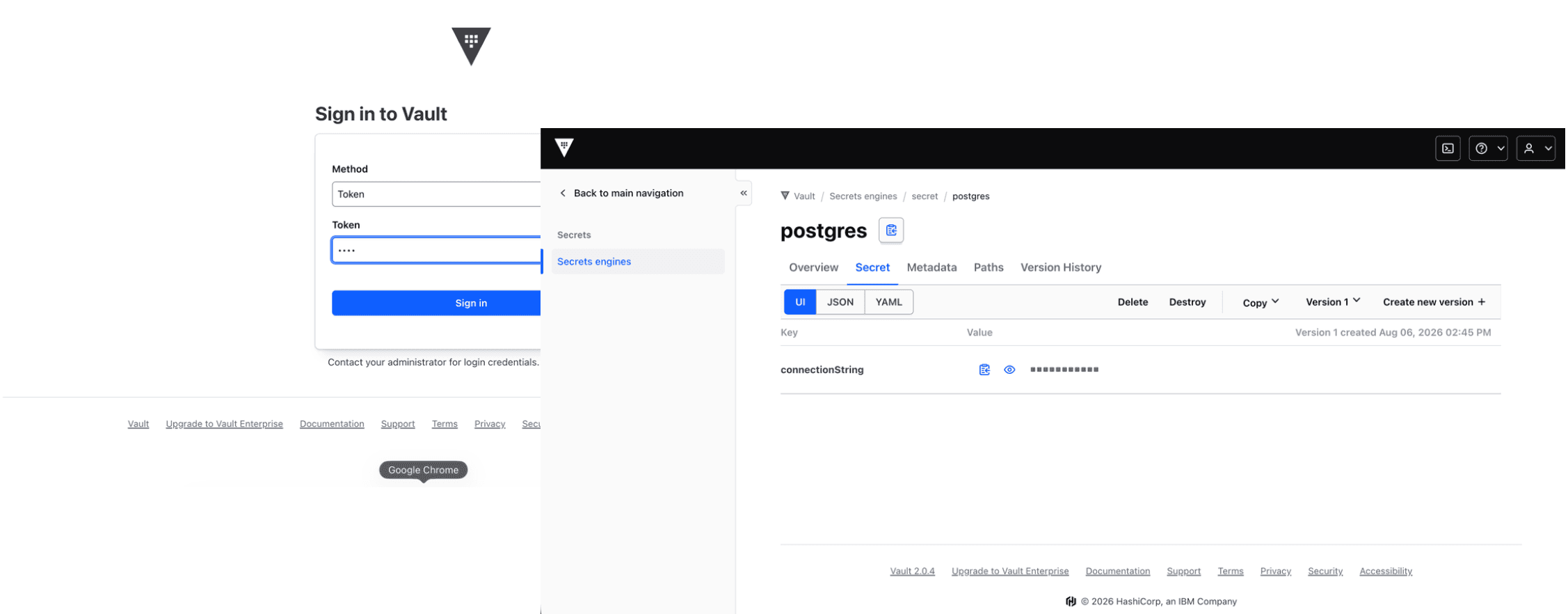
-dev-listen-address=0.0.0.0:8200Now that the initial structure is ready and the containers are running, open Docker Desktop and launch the HashiCorp Vault and OpenBao UIs to log in and create secrets. You can also use the provided .http file to create secrets in each store instead of creating them manually from the UI.
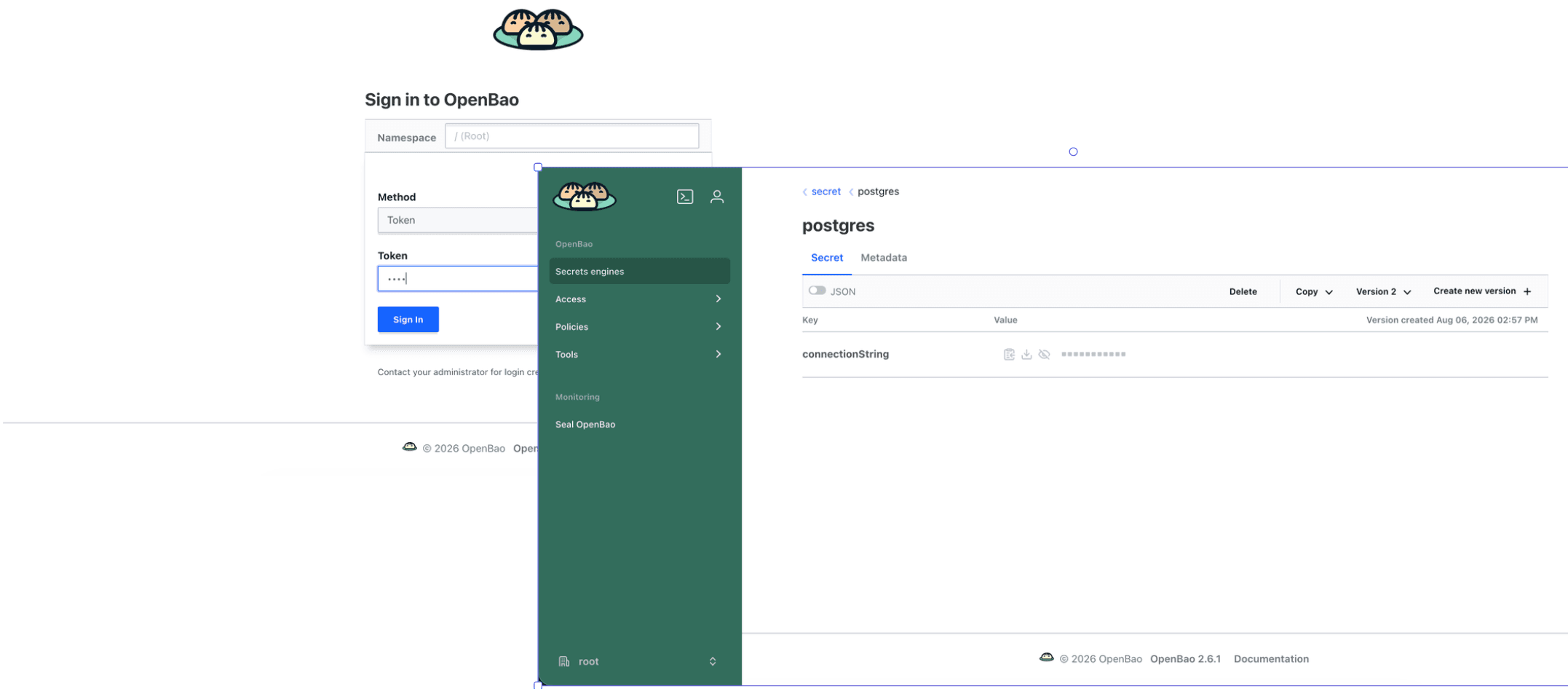
prepare-secrets.http
@postgresConnectionString = host=localhost user=postgres password=postgres port=5432 connect_timeout=10 database=dapr_db
@hashicorpVaultAddr = http://localhost:8200
@openBaoAddr = http://localhost:8201
@vaultToken = root
@openBaoToken = root

### HashiCorp Vault - write PostgreSQL state store connection string
POST {{hashicorpVaultAddr}}/v1/secret/data/postgres
X-Vault-Token: {{vaultToken}}
Content-Type: application/json

{
  "data": {
    "connectionString": "{{postgresConnectionString}}"
  }
}

### HashiCorp Vault - read PostgreSQL state store connection string
GET {{hashicorpVaultAddr}}/v1/secret/data/postgres
X-Vault-Token: {{vaultToken}}

### OpenBao - write PostgreSQL state store connection string
POST {{openBaoAddr}}/v1/secret/data/postgres
X-Vault-Token: {{openBaoToken}}
Content-Type: application/json

{
  "data": {
    "connectionString": "{{postgresConnectionString}}"
  }
}

### OpenBao - read PostgreSQL state store connection string
GET {{openBaoAddr}}/v1/secret/data/postgres
X-Vault-Token: {{openBaoToken}}
With secrets created in both vaults, let's move on to the AppHost.
App Host
Aspire's AppHost is where the distributed application is declared, code-first. In this demo, it reads the SecretStore setting, adds the matching Dapr secret store component and the PostgreSQL state store, and attaches both components to the API service's Dapr sidecar.
Add the CommunityToolkit.Aspire.Hosting.Dapr NuGet package to the AppHost project. It provides extension methods and resource definitions for an Aspire AppHost to configure Dapr resources.
dotnet add package CommunityToolkit.Aspire.Hosting.DaprCreate the folder structure shown below to keep the Dapr component files organized.
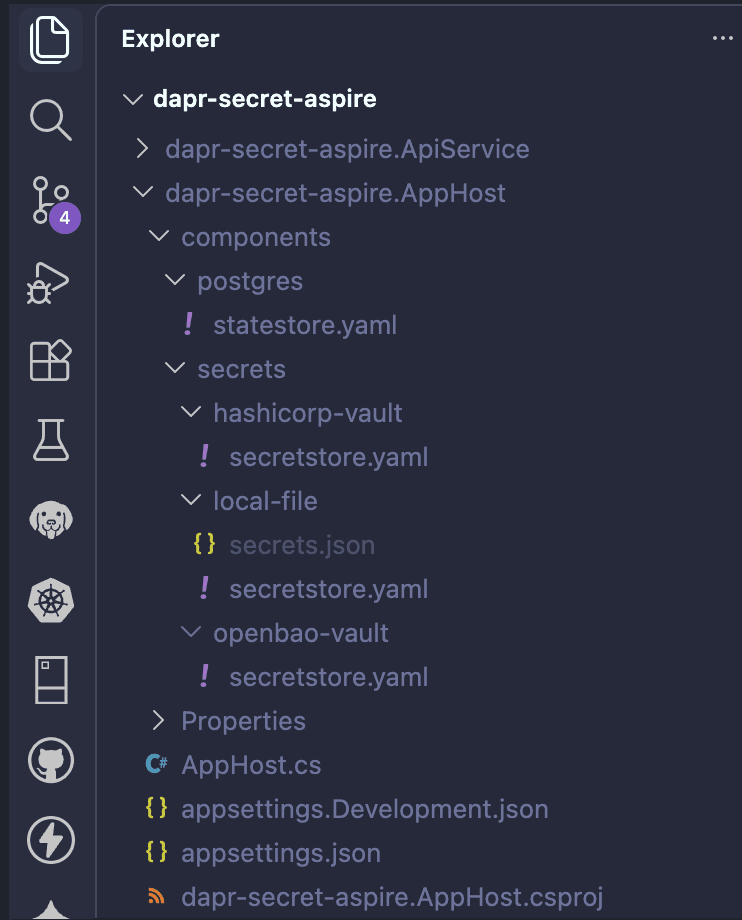
components\postgres\statestore.yaml
It reads postgres.connectionString from secret store statestore-secrets, writes application state to table state, and writes Dapr metadata to dapr_metadata.
apiVersion: dapr.io/v1alpha1
kind: Component
metadata:
  name: statestore
spec:
  type: state.postgresql
  version: v1
  metadata:
  - name: connectionString
    secretKeyRef:
      name: postgres
      key: connectionString
  - name: tableName
    value: "state"
  - name: metadataTableName
    value: "dapr_metadata"
  - name: timeout
    value: "20s"
  - name: cleanupInterval
    value: "1h"
auth:
  secretStore: statestore-secrets
components\secrets\hashicorp-vault\secretstore.yaml
It connects to a running instance of HashiCorp Vault, uses the root token, points to the secret engine path, and expects secret/postgres with key connectionString.
apiVersion: dapr.io/v1alpha1
kind: Component
metadata:
  name: statestore-secrets
spec:
  type: secretstores.hashicorp.vault
  version: v1
  metadata:
  - name: vaultAddr
    value: "http://localhost:8200"
  - name: vaultToken
    value: "root"
  - name: enginePath
    value: "secret"
  - name: vaultKVUsePrefix
    value: "false"
  - name: vaultValueType
    value: "map"
components\secrets\local-file\secretstore.yaml
It reads secrets from components/secrets/local-file/secrets.json and is useful for local development.
apiVersion: dapr.io/v1alpha1
kind: Component
metadata:
  name: statestore-secrets
spec:
  type: secretstores.local.file
  version: v1
  metadata:
  - name: secretsFile
    value: components/secrets/local-file/secrets.json
  - name: nestedSeparator
    value: ":"
  - name: multiValued
    value: "true"
components\secrets\openbao-vault\secretstore.yaml
It connects to a running instance of OpenBao, uses the root token, points to the secret engine path, and expects secret/postgres with key connectionString.
apiVersion: dapr.io/v1alpha1
kind: Component
metadata:
  name: statestore-secrets
spec:
  type: secretstores.hashicorp.vault
  version: v1
  metadata:
  - name: vaultAddr
    value: "http://localhost:8201"
  - name: vaultToken
    value: "root"
  - name: enginePath
    value: "secret"
  - name: vaultKVUsePrefix
    value: "false"
  - name: vaultValueType
    value: "map"
AppHost.cs
using CommunityToolkit.Aspire.Hosting.Dapr;

var builder = DistributedApplication.CreateBuilder(args);

var secretStore = builder.Configuration["SecretStore"]?.ToLowerInvariant() ?? "local-file";

// Determine the secret store path based on the selected secret store.
var secretStorePath = secretStore switch
{
    "hashicorp-vault" => "components/secrets/hashicorp-vault",
    "openbao-vault" => "components/secrets/openbao-vault",
    "local-file" => "components/secrets/local-file",
    _ => throw new InvalidOperationException(
        $"Unsupported SecretStore '{secretStore}'. Use 'local-file', 'hashicorp-vault', or 'openbao-vault'.")
};

// Add the selected secret store component
var selectedSecretStore = builder.AddDaprComponent("statestore-secrets", "secretstores", new DaprComponentOptions
{
    LocalPath = $"{secretStorePath}/secretstore.yaml"
});

// Add the Dapr state store component
var stateStore = builder.AddDaprStateStore("statestore", new DaprComponentOptions
{
    LocalPath = "components/postgres/statestore.yaml"
});

// Add the API service project with Dapr sidecar
var apiService = builder.AddProject<Projects.dapr_secret_aspire_ApiService>("apiservice")
    .WithHttpHealthCheck("/health")
    .WithEnvironment("SecretStore", secretStore)
    .WithDaprSidecar(sidecar =>
    {
        sidecar
            .WithOptions(new DaprSidecarOptions
            {
                Config = "components/config/tracing.yaml"
            })
            .WithReference(selectedSecretStore)
            .WithReference(stateStore);
    })
    .WithUrlForEndpoint("http", url =>
    {
        url.Url = "/";
        url.DisplayText = "API Service";
    })
    .WithUrlForEndpoint("https", url =>
    {
        url.Url = "/";
        url.DisplayText = "API Service";
    });

// Add the web frontend project
builder.AddProject<Projects.dapr_secret_aspire_Web>("webfrontend")
    .WithExternalHttpEndpoints()
    .WithHttpHealthCheck("/health")
    .WithReference(apiService)
    .WaitFor(apiService)
    .WithUrlForEndpoint("http", url =>
    {
        url.Url = "/";
        url.DisplayText = "Web App";
    })
    .WithUrlForEndpoint("https", url =>
    {
        url.Url = "/";
        url.DisplayText = "Web App";
    });

builder.Build().Run();
appsettings.Development.json
{
  "SecretStore": "local-file",
  "Logging": {
    "LogLevel": {
      "Default": "Information",
      "Microsoft.AspNetCore": "Warning"
    }
  }
}
The following diagram depicts the application topology.

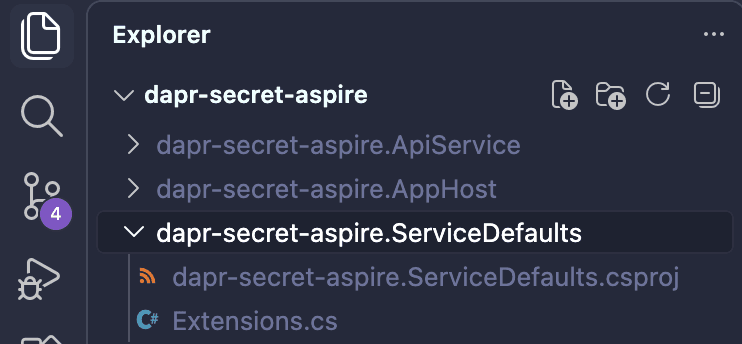
Service Defaults
The shared application defaults add OpenTelemetry, health checks, service discovery, HTTP client resilience, and development health endpoints.
Exceptions.cs
using Microsoft.AspNetCore.Builder;
using Microsoft.AspNetCore.Diagnostics.HealthChecks;
using Microsoft.Extensions.DependencyInjection;
using Microsoft.Extensions.Diagnostics.HealthChecks;
using Microsoft.Extensions.Logging;
using OpenTelemetry;
using OpenTelemetry.Metrics;
using OpenTelemetry.Trace;

namespace Microsoft.Extensions.Hosting;

public static class Extensions
{
    private const string HealthEndpointPath = "/health";
    private const string AlivenessEndpointPath = "/alive";

    public static TBuilder AddServiceDefaults<TBuilder>(this TBuilder builder) where TBuilder : IHostApplicationBuilder
    {
        builder.ConfigureOpenTelemetry();

        builder.AddDefaultHealthChecks();

        builder.Services.AddServiceDiscovery();

        builder.Services.ConfigureHttpClientDefaults(http =>
        {
            http.AddStandardResilienceHandler();

            http.AddServiceDiscovery();
        });


        return builder;
    }

    public static TBuilder ConfigureOpenTelemetry<TBuilder>(this TBuilder builder) where TBuilder : IHostApplicationBuilder
    {
        builder.Logging.AddOpenTelemetry(logging =>
        {
            logging.IncludeFormattedMessage = true;
            logging.IncludeScopes = true;
        });

        builder.Services.AddOpenTelemetry()
            .WithMetrics(metrics =>
            {
                metrics.AddAspNetCoreInstrumentation()
                    .AddHttpClientInstrumentation()
                    .AddRuntimeInstrumentation();
            })
            .WithTracing(tracing =>
            {
                tracing.AddSource(builder.Environment.ApplicationName)
                    .AddAspNetCoreInstrumentation(tracing =>
                        tracing.Filter = context =>
                            !context.Request.Path.StartsWithSegments(HealthEndpointPath)
                            && !context.Request.Path.StartsWithSegments(AlivenessEndpointPath)
                    )
                    .AddGrpcClientInstrumentation()
                    .AddHttpClientInstrumentation();
            });

        builder.AddOpenTelemetryExporters();

        return builder;
    }

    private static TBuilder AddOpenTelemetryExporters<TBuilder>(this TBuilder builder) where TBuilder : IHostApplicationBuilder
    {
        var useOtlpExporter = !string.IsNullOrWhiteSpace(builder.Configuration["OTEL_EXPORTER_OTLP_ENDPOINT"]);

        if (useOtlpExporter)
        {
            builder.Services.AddOpenTelemetry().UseOtlpExporter();
        }

        return builder;
    }

    public static TBuilder AddDefaultHealthChecks<TBuilder>(this TBuilder builder) where TBuilder : IHostApplicationBuilder
    {
        builder.Services.AddHealthChecks()
            .AddCheck("self", () => HealthCheckResult.Healthy(), ["live"]);

        return builder;
    }

    public static WebApplication MapDefaultEndpoints(this WebApplication app)
    {
        if (app.Environment.IsDevelopment())
        {
            app.MapHealthChecks(HealthEndpointPath);

            app.MapHealthChecks(AlivenessEndpointPath, new HealthCheckOptions
            {
                Predicate = r => r.Tags.Contains("live")
            });
        }

        return app;
    }
}
API Service
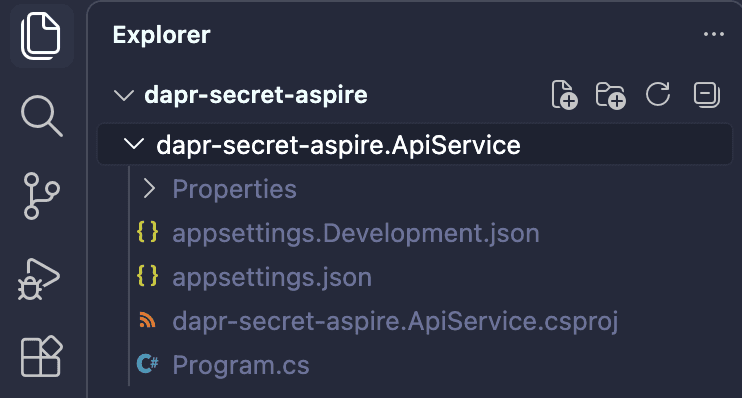
The API service uses DaprClient to talk to the state store. It does not read the connection string or call Vault directly.
It is an ASP.NET Minimal API that uses DaprClient to read and write weather forecast state through the Dapr state store named statestore.
Add the Dapr.AspNetCore package to the API project.
dotnet add package Dapr.AspNetCoreusing Dapr.Client;
var builder = WebApplication.CreateBuilder(args);
builder.AddServiceDefaults();
builder.Services.AddDaprClient();
builder.Services.AddProblemDetails();
builder.Services.AddOpenApi();
var app = builder.Build();
app.UseExceptionHandler();
if (app.Environment.IsDevelopment())
{
app.MapOpenApi();
}
const string StateStoreName = "statestore";
const string WeatherForecastStateKey = "weatherforecast";
app.MapGet("/", () => "API service is running. Navigate to /weatherforecast to see sample data.");
app.MapGet("/secret-store", (IConfiguration configuration) =>
{
var name = configuration["SecretStore"] ?? "local-file";
return new SecretStoreInfo(
name,
SecretStoreMessages.GetDisplayName(name),
SecretStoreMessages.RequiresPreparation(name));
})
.WithName("GetSecretStore");
app.MapGet("/weatherforecast", async (
DaprClient daprClient,
IConfiguration configuration,
ILogger<Program> logger,
CancellationToken cancellationToken) =>
{
try
{
var forecast = await daprClient.GetStateAsync<WeatherForecast[]>(
StateStoreName,
WeatherForecastStateKey,
cancellationToken: cancellationToken);
if (forecast is { Length: > 0 })
{
return Results.Ok(forecast);
}
forecast = CreateSampleForecast();
await daprClient.SaveStateAsync(
StateStoreName,
WeatherForecastStateKey,
forecast,
cancellationToken: cancellationToken);
return Results.Ok(forecast);
}
catch (Exception ex) when (ex is not OperationCanceledException)
{
var secretStore = configuration["SecretStore"] ?? "local-file";
var detail = SecretStoreMessages.GetStateStoreFailureMessage(secretStore);
logger.LogError(
ex,
"Dapr state store {StateStoreName} failed. {Detail}",
StateStoreName,
detail);
return Results.Problem(
title: "Dapr state store is not ready",
detail: detail,
statusCode: StatusCodes.Status503ServiceUnavailable);
}
})
.WithName("GetWeatherForecast");
app.MapDefaultEndpoints();
app.Run();
static WeatherForecast[] CreateSampleForecast()
{
var today = DateOnly.FromDateTime(DateTime.UtcNow);
return
[
new(today.AddDays(1), -2, "Freezing"),
new(today.AddDays(2), 6, "Bracing"),
new(today.AddDays(3), 13, "Cool"),
new(today.AddDays(4), 24, "Warm"),
new(today.AddDays(5), 31, "Hot")
];
}
record WeatherForecast(DateOnly Date, int TemperatureC, string? Summary)
{
public int TemperatureF => 32 + (int)(TemperatureC / 0.5556);
}
record SecretStoreInfo(string Name, string DisplayName, bool RequiresPreparation);
static class SecretStoreMessages
{
public static string GetDisplayName(string secretStore)
{
return secretStore.ToLowerInvariant() switch
{
"hashicorp-vault" => "HashiCorp Vault",
"openbao-vault" => "OpenBao",
_ => "Local File"
};
}
public static bool RequiresPreparation(string secretStore)
{
return secretStore.Equals("hashicorp-vault", StringComparison.OrdinalIgnoreCase)
|| secretStore.Equals("openbao-vault", StringComparison.OrdinalIgnoreCase);
}
public static string GetStateStoreFailureMessage(string secretStore)
{
return secretStore.ToLowerInvariant() switch
{
"hashicorp-vault" => "HashiCorp Vault secret may be missing. Send request 'HashiCorp Vault - write PostgreSQL state store connection string' from dapr-secret-aspire.AppHost/components/secrets/prepare-secrets.http. Expected secret/data/postgres with key connectionString.",
"openbao-vault" => "OpenBao secret may be missing. Send request 'OpenBao - write PostgreSQL state store connection string' from dapr-secret-aspire.AppHost/components/secrets/prepare-secrets.http. Expected secret/data/postgres with key connectionString.",
_ => "Local secret file may be missing or invalid. Check dapr-secret-aspire.AppHost/components/secrets/local-file/secrets.json for secret postgres with key connectionString."
};
}
}Web App
To keep this post focused on the core functionality of Dapr Secrets, I've left out the web app's code snippets. It's a simple Blazor application, built purely to demonstrate the complete flow, and one that readers should find straightforward to recreate on their own. That said, if you'd like access to the code, feel free to get in touch.
Running the App
Since the app supports multiple secret stores, choose one and run the app as shown below:
# Default mode - Local-file
aspire runSecretStore=hashicorp-vault aspire runSecretStore=openbao-vault aspire runAfter a successful run, you may see an Aspire dashboard similar to this.
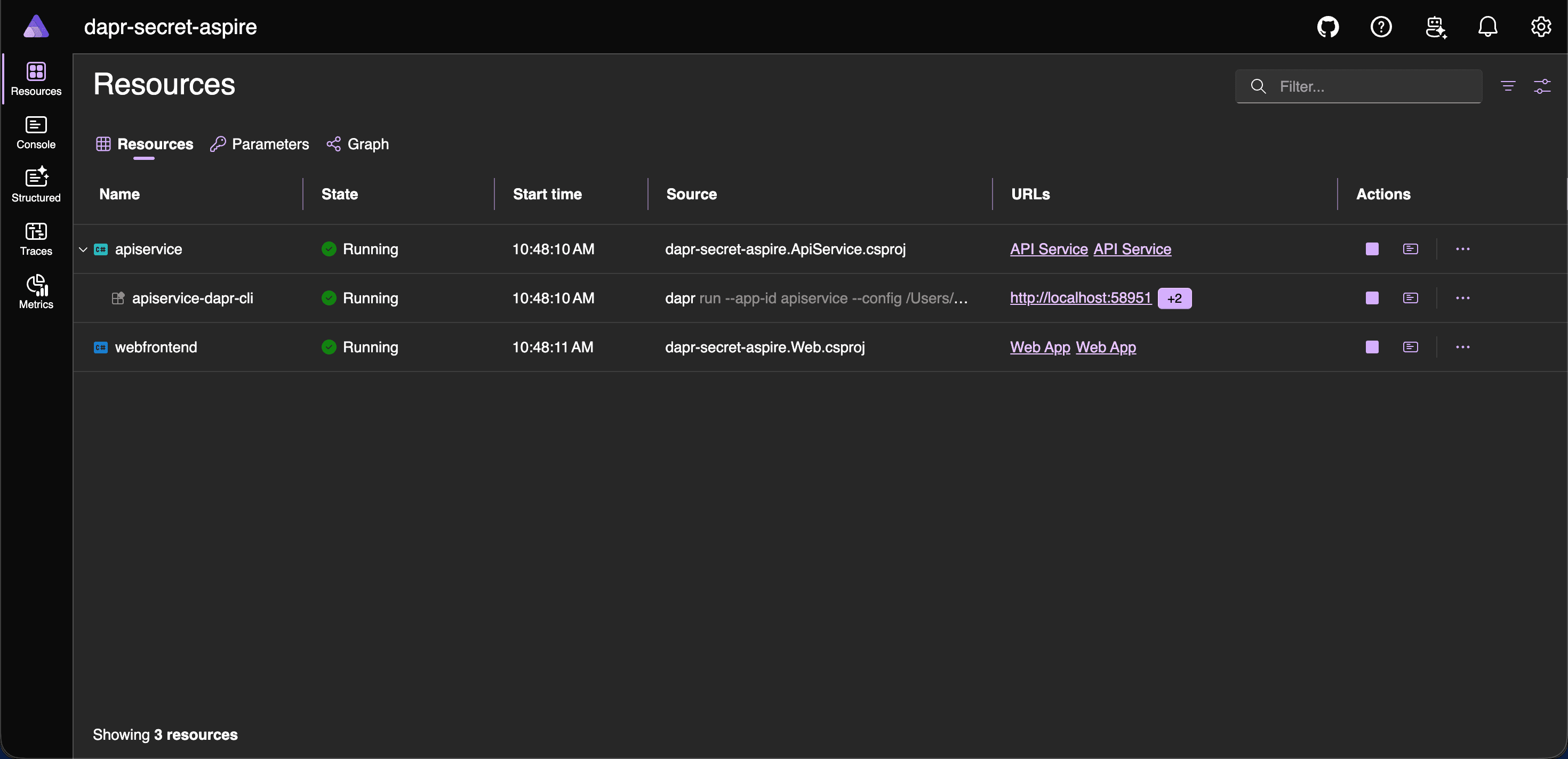
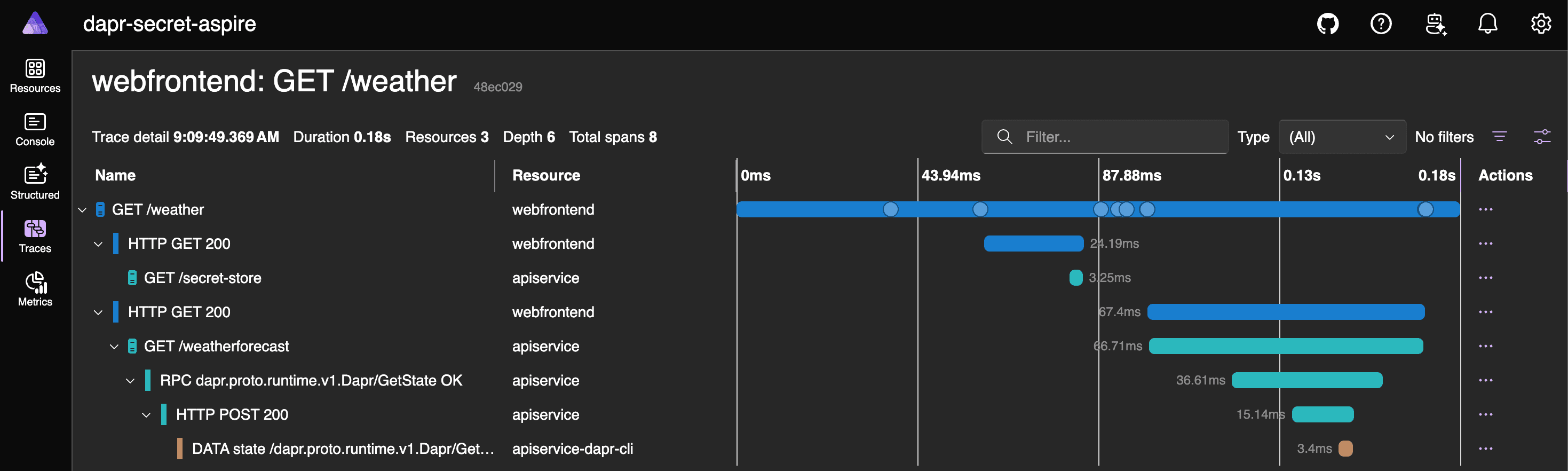
From the Aspire dashboard, open the webfrontend resource and navigate to Weather. The first request writes a sample forecast into the Dapr state store, while later requests read that same value back. The Web application also displays a message showing which secret store is currently in use.
Take a moment to click through the Aspire dashboard options and see what's happening under the hood.
Conclusion
The key idea is that Dapr components can depend on secrets without application code owning secret retrieval. In this demo, the PostgreSQL state store reads its connection string through secretKeyRef, and auth.secretStore points to the selected secret store component. With Aspire, the provider switch becomes part of the AppHost model. The API still calls GetStateAsync and SaveStateAsync against statestore, the Web app still calls apiservice, and the secret store can move from local-file to HashiCorp Vault or OpenBao without changing the application code.
That separation is useful beyond this sample. Local development can stay lightweight with a file-based store, while shared or production-like environments can use a dedicated vault-backed provider. The application keeps a stable contract with Dapr, and the operational choice of where secrets live remains outside the business logic.
For real environments, avoid development tokens, lock down access policies, rotate credentials, and choose the secret store that matches your platform and compliance needs. Dapr does not replace the security model of the underlying provider; it gives your application a consistent way to consume secrets from that provider. Together, Dapr Secrets and Aspire make secret-backed distributed applications easier to compose, run, and inspect.